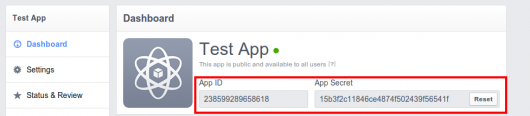
Setting up the Facebook Application to get APP Keys
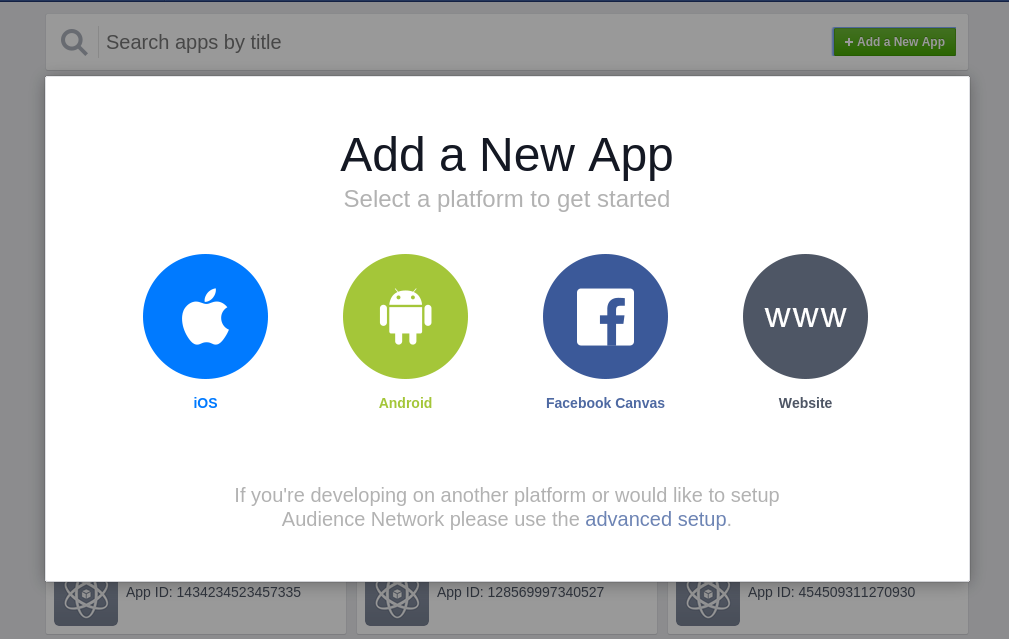
- Click on

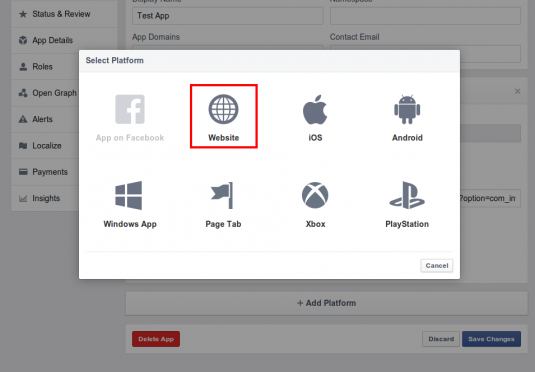
- Select the Website as a platform from the popup shown.
- Now on the Next screen shown, you will find
 button, on right top side.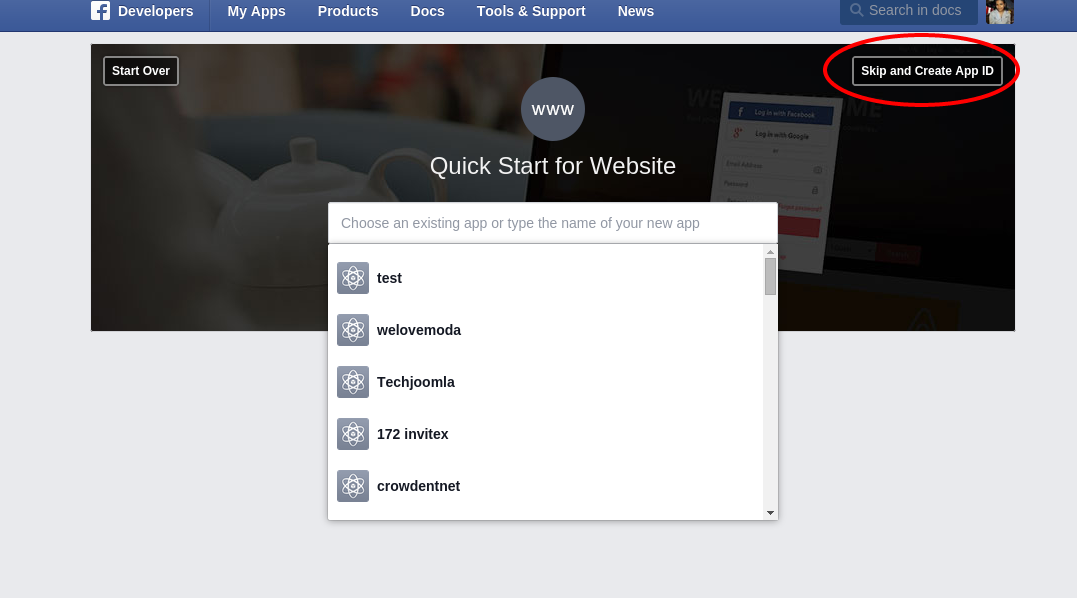
-
Create an application with your site name . Give the Application a Generalised name for example your site's name.
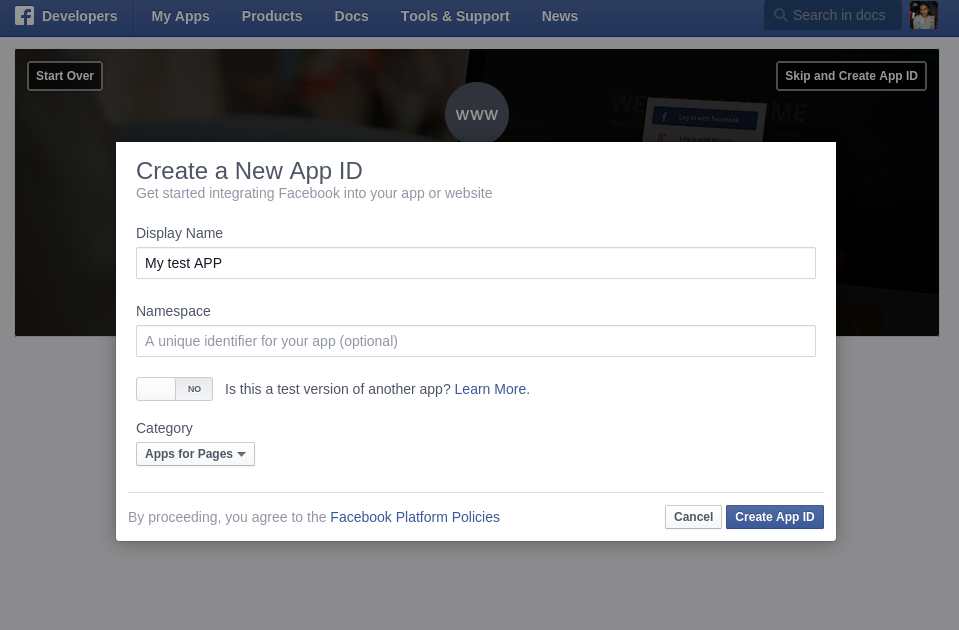
-
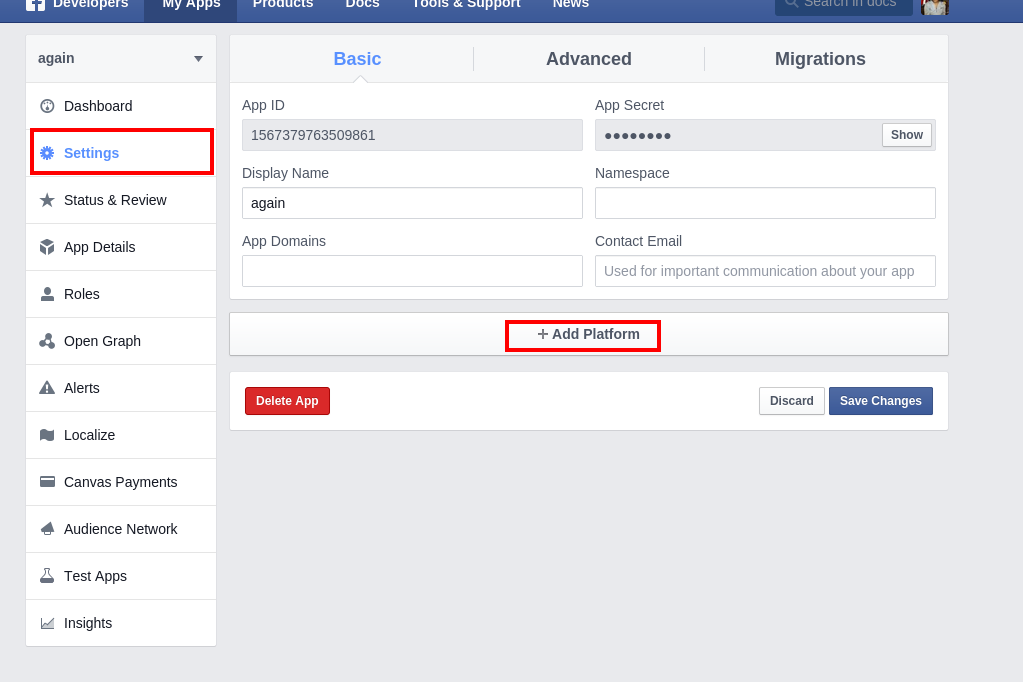
After done with security check, you wil be redirected to the APP dashboard. These go to Settings tab and click on Add Platform button
- Select Website as a platform again
- Enter your site URL in the Site URL box shown
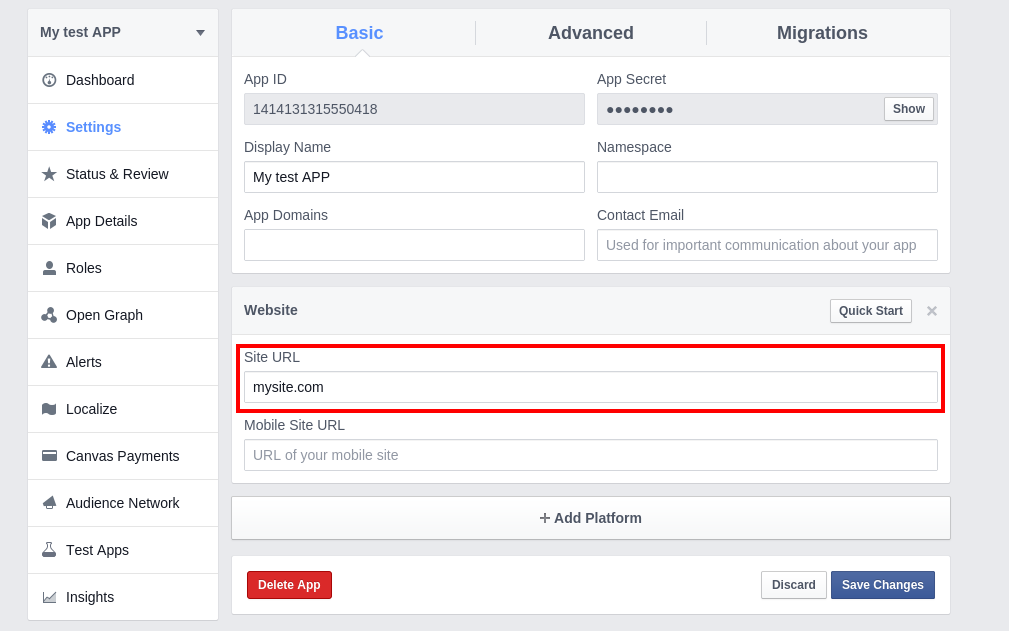
Now again click on Add platform button given below the Website tab.
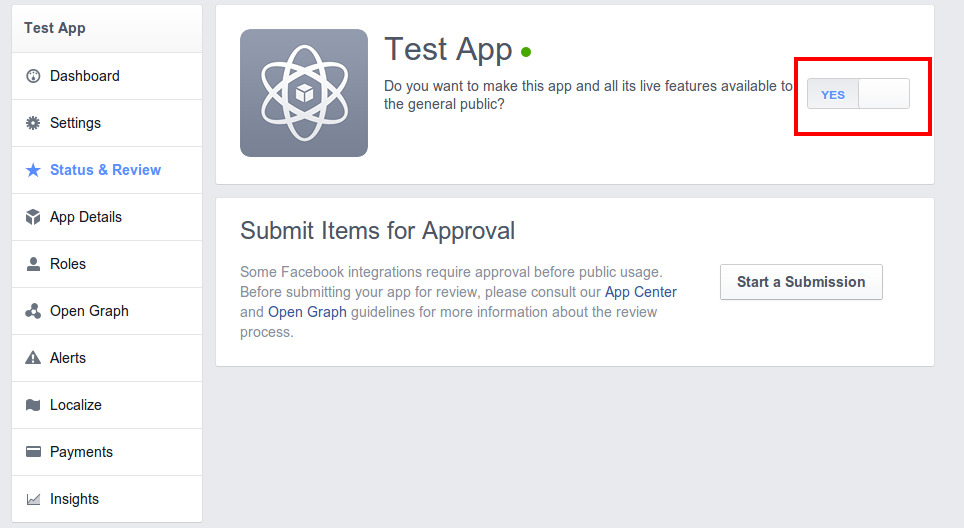
9 . Finally you need to make the APP live so that you can use this app for all users.
Go to tab "Status & Review" and set the app live.. (Make sure you have provided contact Email on Setting tab)
10) Insert the "APP ID" to configure the share for discounts plugin.